
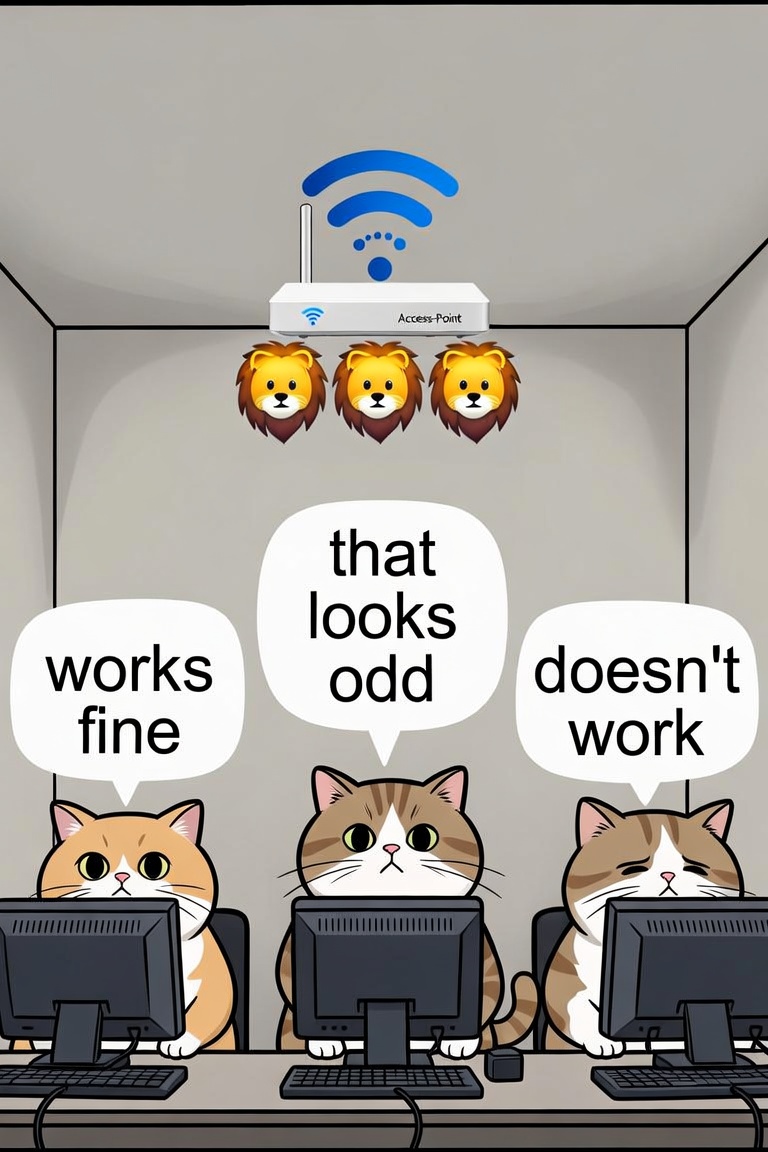
Part 1 was about how Emojis in SSIDs work in general, this part is about client compatibility.
Here are my test results for the connection to SSID “☕️🛜 – Flat White Wireless” and if the device shows Emojis from different Unicode-Versions:
| System | Version | Shows SSID | Connects |
|---|---|---|---|
| MS Surface Pro 8 | Windows 11 Pro, 25H2 | ✅ all up to Unicode version 15 | ✅ |
| Samsung Galaxy Tab Pro S | Windows 10 Pro 22H2 | Shows “Hot Beverage” Emoji, but not the “Wireless” Emoji (new test needed) | ✅ |
| Sony Vaio | Windows 10 Pro, 1703 | Shows “Hot Beverage” Emoji, but not the “Wireless” Emoji (new test needed) | ✅ |
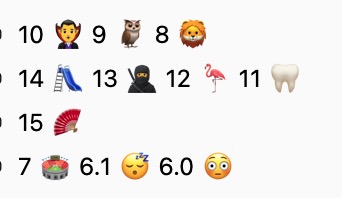
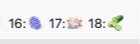
| Mac Studio M2 Max | 26.6.1 | ✅ all up to Unicode version 18 (new Test with Mist AP) | ✅ |
| MacBook Pro 13“, 2016 | 12.7.6 | Shows Emojis from Unicode up to version 14 (Playground) Shows “Pickle” from Unicode 18, but not the Emojis from Unicode 16 and 17. | ✅ |
| iPhone 16 Max Pro | 26.6.1 | ✅ all up to Unicode version 18 (new Test with Mist AP) | ✅ |
| iPhone 11 Pro | 18.7.1 | ✅ all up to Unicode version 15 | ✅ |
| iPhone 6s | 15.8.4 | Shows Emojis from Unicode up to version 14 (Playground) | ✅ |
| iPhone 6 | 12.5.7 | Shows Emojis from Unicode up to version 11 (Tooth) | ✅ |
| Google Pixel 9 | Android 17 | ✅ all up to Unicode version 18 (new Test with Mist AP) | ✅ |
| Google Pixel 6a | Android 15 | ✅ all up to Unicode version 15 | ✅ |
| Samsung Galaxy Tab S7 | Android 13 | ✅ all up to Unicode version 15 | ✅ |
| Redmi 7A | Android 10 | Shows Emojis from Unicode up to version 12 (Flamingo) | ✅ |
| Redmi Note 5 | Android 9 | Shows Emojis from Unicode up to version 11 (Tooth) | ✅ |
| WLAN Pi | 3.3.0 | Shows the WLAN as \xe2\x98\x95… | not tested |
| Shelly Plug S MTR | 20260311 | ✅ all up to Unicode version 15 | ✅ |
| Meross MSP844 Power Strip | latest as of 2026-07-20 | — (uses WLAN of Phone) | ✅ |
| GL-iNet Comet Pro Remote KVM | V1.9.1 release1 | ✅ all up to Unicode version 15 | 🛑 |
| Yealink AX83H | 180.87.0.15 | 🛑 | 🛑 |
| Hak5 Pineapple Pager | 1.0.9 | 🛑 | not tested |
| Hamina Onsite | latest as of 2026-07-20 | ✅ all up to Unicode version 15 | ✅ (phone connected) |
The Conclusion:
- The test was done with WPA2-Personal to make sure I tested the SSID and not WPA3 compatibility.
- All in all, these results are quite interesting. Emojis in the SSIDs seem enterprise-ready on the client side across all general operating systems common in enterprise networks.
- The GL-iNet disappointed me.
- The differences between the shown emojis are likely explainable from the time they were added to Unicode. For example:
- Wireless was approved as part of Unicode 15.0 in 2022 and added to Emoji 15.0 in 2022.
- Hot Beverage was approved as part of Unicode 4.0 in 2003 and added to Emoji 1.0 in 2015
- When I first tested Emojis some years ago, I used a test SSID that only consisted of quite new Emojis that were available on my up-to-date iOS and macOS versions, but not on the Windows 10 version I was running back then.
- I still expect massive problems with most IoT devices.
- And Enterprise-ready? I have no idea why you would want that. 😉
- I only tested Emojis up to Unicode Version 15, because the Meraki Dashboard (for MR version 32.1.7) didn’t accept Emojis from version 16 and 17.
And the WLC/AP compatibility?
That is a completely different story. Cisco Meraki supports it (but only up to Unicode version 15), while Cisco Classic (9800 controller) doesn’t.
EDIT 2026-08-10: I tested my HPE/Juniper/Mist AP33 with Firmware 0.15.34994, and it allowed me to configure Emojis up to Unicode Version 18. With that, the compatibility-List needs to be updated.
After my talk at WLAN Klassentreffen in Hamburg, I got additional feedback. Time for a table:
| Vendor | Comment |
| Alta Networks | ✅ (thanks, Falk) |
| Arista | |
| Aruba | |
| Cisco Classic | 🛑 |
| Cisco Meraki / Meraki Go | ✅ |
| Juniper Mist | ✅ |
| Ubiquity | ✅ (thanks, Gerrit) |
| hostapd | ✅ (thanks, Patrick) |
If you have tested other clients or different APs/WLCs, please add them to the comments and/or blog about it.
One Reply to “We can use Emojis in SSIDs! – The Compatibility”